Professional Rewording Tool

✅ Reword Text ✅ Replace Words ✅ Natural Variations

icon

#1 AI Humanizer: Verified to bypass GPTZero, Copyleaks, Turnitin, Scribbr, Sapling, Grammarly, Quillbot, Writer, and more. Test your humanized content across multiple AI detection platforms.

Verified
100%
Human
Verified
100%
Human
Verified
100%
Human
Verified
100%
Human
Verified
100%
Human
Verified
100%
Human
Verified
100%
Human
Verified
100%
Human
Verified
100%
Human

Trusted by 1,000+ Leading Universities

Berkeley
1Massachusetts Institute of Technology
Princeton University
University of Oxford
The University of Melbourne
Harvard University
Stanford University
University of Pennsylvania
ETH Zurich
The University of New South Wales
University of Cambridge
Imperial College London
California Institute of Technology
UCL
The University of Sydney
National University of Singapore
The University of Hong Kong
Cornell University
Nanyang Technological University
University of Chicago
Peking University
Tsinghua University
Berkeley
1Massachusetts Institute of Technology
Princeton University
University of Oxford
The University of Melbourne
Harvard University
Stanford University
University of Pennsylvania
ETH Zurich
The University of New South Wales
University of Cambridge
Imperial College London
California Institute of Technology
UCL
The University of Sydney
National University of Singapore
The University of Hong Kong
Cornell University
Nanyang Technological University
University of Chicago
Peking University
Tsinghua University

See the Rewording Results

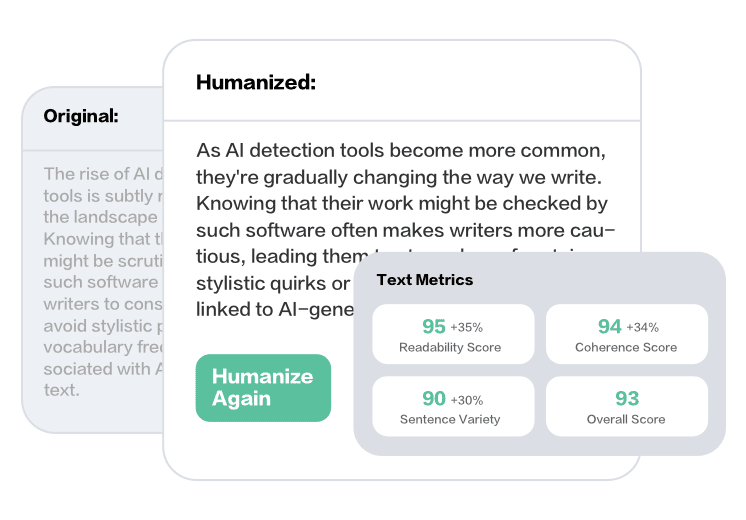
Instantly compare your original text with the reworded version, showing how words have been replaced and content has been reworded while maintaining the original meaning. Verify your results by testing the reworded content across AI detection platforms.

Rewording Tool analysis report showing text rewording and word replacement results

Key Features of Rewording Tool

Advanced Word Replacement Advanced Word Replacement

Reword text by replacing words with synonyms, rephrasing sentences, and creating natural variations. Our Rewording Tool uses smart algorithms to replace words intelligently while maintaining your original meaning and message.

Multiple Rewording Modes Multiple Rewording Modes

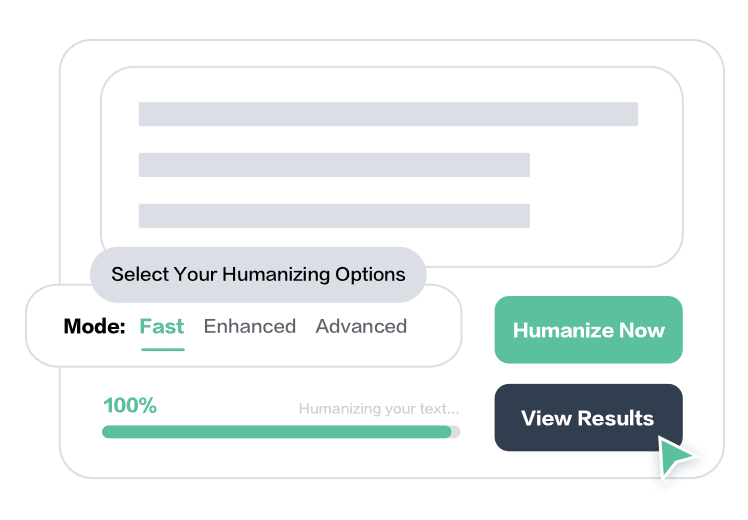
Choose from Fast, Enhanced, or Advanced rewording modes to replace words in your text. Each mode rewords content with different levels of word replacement, ensuring your reworded text maintains meaning while using different vocabulary.

Natural Word Variations Natural Word Variations

Get reworded text with natural word variations that sound authentic. Our Rewording Tool replaces words intelligently, creating variations that maintain your original meaning while using different vocabulary and phrasing.

How Rewording Tool Works

Input Your Text

Input Your Text

Paste your text or upload a file (TXT, DOC, DOCX, or PDF up to 10MB) that you want to reword. Our Rewording Tool supports up to 750 words per reword, analyzing your content to identify words that can be replaced with synonyms.

Select Rewording Mode

Select Rewording Mode

Choose your rewording mode to replace words in your text. Select from Fast mode for quick rewording, Enhanced mode for comprehensive word replacement, or Advanced mode for complete rewording that creates natural variations while maintaining meaning.

Get Reworded Text

Get Reworded Text

Receive your reworded text output. We replace words with synonyms, rephrase sentences, and create natural variations. Verify your reworded content to ensure it maintains your original meaning while using different vocabulary.

What Users Say About Rewording Tool

"Perfect tool for rewording my text. The word replacement is intelligent and maintains my original meaning. Great for creating natural variations."

- Derek H., Content Writer

"I reword all my articles with this tool. The reworded text uses different words while keeping my message intact. Excellent rewording tool."

- Chloe M., Blogger

"Reformula el texto de forma excelente. La herramienta reemplaza palabras manteniendo el significado original."

- Ricardo S., Content Creator

"The best rewording tool I've used. The word replacement quality is excellent and creates natural variations. Highly recommend."

- Emma W., Writer

"Rewords text perfectly while maintaining meaning. The output uses different words and sounds natural. My reworded content passes all detection tools."

- Jake P., Content Manager

"Great tool for rewording text. The word replacement is natural and creates variations. Very useful for changing words."

- Sophia D., Student

Rewording Tools Comparison

Compare different tools for rewording text and replacing words.

Tool Pricing Features
✅ Rewording Tool ✅ Free to use — no login required, no word limit during our free trial. ✅ Best rewording tool with three modes (Fast, Enhanced, Advanced) that reword text while maintaining meaning. Replaces words with synonyms, rephrases sentences, and creates natural variations. Bypasses AI detection and creates original reworded content. Verify results across GPTZero, Copyleaks, Turnitin, and other AI detectors.
Quillbot Free plan with limitations. Premium plans start from around $4.17/month (billed annually). Rewording tool with multiple modes but limited free access. Can reword text but may not bypass AI detection as effectively as specialized rewording tools. Free tier has word count restrictions.
Grammarly Free plan with basic features. Premium plans start from $12/month. Writing assistant tool focused on grammar and style, not specifically a rewording tool. Can suggest word replacements but doesn't comprehensively reword text like dedicated rewording tools.
Spinbot Free plan with limitations. Premium plans available. Basic rewording tool that can replace words but may produce lower quality results. Limited in maintaining meaning and creating natural reworded content compared to advanced rewording tools.
Prepostseo Free plan with limitations. Premium plans available. Rewording tool with basic features but limited free access. Can reword text but may not provide the same quality and meaning preservation as advanced rewording tools.
Paraphrasing.io Free plan with limitations. Premium plans available. Rewording tool that can replace words but has restrictive free tier limitations. May not bypass AI detection as effectively as specialized rewording tools with advanced modes.

Frequently Asked Questions

What is a rewording tool?

A rewording tool is a software that rewords text by replacing words with synonyms, rephrasing sentences, and creating natural variations while maintaining the original meaning. It creates a new version of your text that uses different words but conveys the same message.

How does the Rewording Tool work?

Our Rewording Tool analyzes your text to identify words that can be replaced with synonyms. It then replaces words intelligently, rephrases sentences, and creates natural variations that maintain your original meaning while using different vocabulary and phrasing.

Will rewording change my text's meaning?

No, our Rewording Tool preserves your text's original meaning while rewording it. We focus on replacing words with synonyms and rephrasing sentences without altering the core message or information, ensuring your reworded text conveys the same meaning with different words.

Can reworded text bypass AI detection?

Yes, properly reworded text can bypass AI detection tools. Our Rewording Tool replaces words and rephrases content in a way that passes major AI detectors including GPTZero, Copyleaks, Turnitin, and others. The reworded content appears as original writing rather than AI-generated or copied text. Test with our AI Text Detector.

How long does it take to reword text?

Rewording text is quick and efficient. Our tool processes and rewords your text within seconds. The time depends on the length of your text, but most rewording tasks complete in just a few seconds, making it easy to reword text quickly.

What types of text can be reworded?

You can reword any type of text including articles, blog posts, essays, emails, academic papers, and more. Our Rewording Tool works with various content types, replacing words and rephrasing sentences while maintaining the original meaning and message. For similar tools, try our Paraphrasing Tool or AI Content Rewriter.

Is there a word limit for rewording?

During our free trial period, there is no word limit. Use the tool as much as you need with no login required.

Can I reword text in different languages?

Yes, our Rewording Tool supports rewording text in multiple languages. You can replace words and rephrase content in various languages, adapting to different linguistic nuances while maintaining the original meaning and creating natural reworded versions.

What makes reworded text different from original text?

Reworded text differs from original text in that it uses different words, varied sentence structures, and replaced vocabulary while maintaining the same meaning. The reworded version conveys the same message but expresses it using different words and phrasing through intelligent word replacement. For humanization, use our Humanize AI Text.

How do I verify that my text has been properly reworded?

You can verify that your text has been properly reworded by checking that the meaning is preserved, the words are different, and the sentence structures are varied. Our Rewording Tool also provides analysis showing how your text has been reworded while maintaining the original meaning.


Latest Articles

writing skills February 04, 2026

Mastering Writing Skills & Industry Trends for 2026

Success as an author in 2026 and beyond will require a powerful combination of timeless storytelling craft and a savvy understanding of emerging business and te…

SEO Tools February 02, 2026

Best AI Tools for SEO: From Ad Hoc Tactics to Scalable Systems

A Practical, List-Based Framework for Sustainable Growth Most agencies do not fail because they lack SEO tools. They fail because their tools are not embedde…

AI Email Marketing Tools January 28, 2026

How AI Email Marketing Tools Are Changing the Way We Send Emails

  Are you drowning in a constant flood of emails? What if you could spend less time stressing about your inbox and more time actually getting work d…

brisk teaching ai January 26, 2026

Brisk Teaching AI: Transforming Your Classroom with the All-in-One AI Teaching Assistant

For educators facing a significant administrative workload, the goal is to save "hours of time on resource creation, planning lessons, or even giving feedback."…

Daily Journal Prompts January 21, 2026

How to Use Daily Journal Prompts to Improve Mental Health, Emotional Healing, and Personal Growth

Many people struggle with journaling because they start with a blank page, which can often lead to "disaster". This happens because your brain is forced to do t…

how to make a Youtube video January 19, 2026

Done is better than perfect: How to make a YouTube video in 7 days

Thinking about making your first YouTube video can feel like staring up at a mountain. It’s daunting, overwhelming, and the path to the top is clouded by the …

Ready to Reword Your Text?

Start rewording your content to create natural variations while maintaining your original meaning.

Reword Text for Free